Building a container network from scratch: namespaces, veth, bridges
The problem
kubectl get pods — everything Running. Logs look fine. Pod A still can’t reach Pod B. Most engineers don’t know where to look because they never saw how the network was built. This article builds it from scratch, using only Linux primitives.
What is a network namespace?
A network namespace is a Linux kernel feature that gives a process its own isolated network stack — its own interfaces, routing table, and iptables rules. Nothing shared with the host, nothing shared with other namespaces. Each Kubernetes pod runs inside one. That’s why two containers on the same node can both listen on port 80 without stepping on each other.
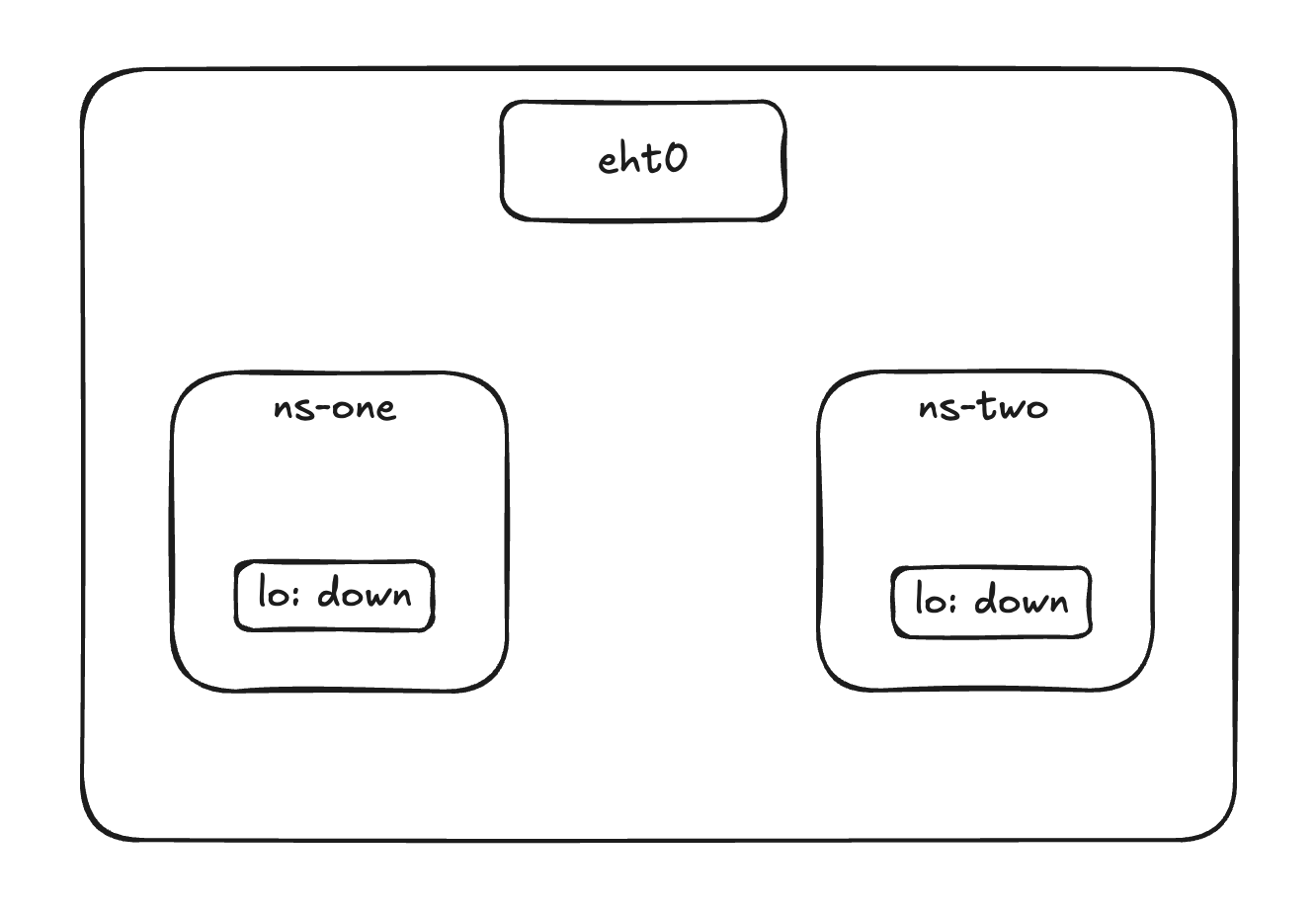
Two namespaces, zero connectivity
You create two namespaces on your server and want ns-blue to reach ns-green. It can’t — there’s no connection between them. To link them you need a veth pair.
Create namespaces
Creating a namespace is as simple as the command below. For more details, man ip-netns covers create, list, exec, and more.
1
2
3
4
5
ip netns add ns-blue
ip netns add ns-green

# list namespaces
ip netns list
1
2
3
# output
ns-blue
ns-green
Create veth pairs
Think of a veth pair as a patch cable — one end in ns-blue, the other in ns-green. Whatever enters one end exits the other. You create both ends at once, then move each to its namespace.
1
2
3
4
5
6
7
8
9
10
11
12
13
14
15
16
17
# create the pair
ip link add veth-blue type veth peer name veth-green

# move each end into its namespace
ip link set veth-blue netns ns-blue
ip link set veth-green netns ns-green

# assign IPs
ip netns exec ns-blue ip addr add 10.0.0.1/24 dev veth-blue
ip netns exec ns-green ip addr add 10.0.0.2/24 dev veth-green

# bring them up
ip netns exec ns-blue ip link set veth-blue up
ip netns exec ns-green ip link set veth-green up

# test
ip netns exec ns-blue ping -c 3 10.0.0.2
For the full syntax and options, man veth.
The bridge
A veth pair works fine between two namespaces, but it doesn’t scale. With three or ten namespaces you can’t wire every pair directly. A bridge solves this — it’s a virtual switch. One end of each veth pair goes into the namespace, the other end connects to the bridge, and the bridge handles communication between all of them.
1
2
3
4
5
6
7
8
9
10
11
ip link add br0 type bridge

ip link add veth-blue type veth peer name veth-blue-br
ip link set veth-blue netns ns-blue
ip link set veth-blue-br master br0

ip link add veth-green type veth peer name veth-green-br
ip link set veth-green netns ns-green
ip link set veth-green-br master br0

ip link set br0 up
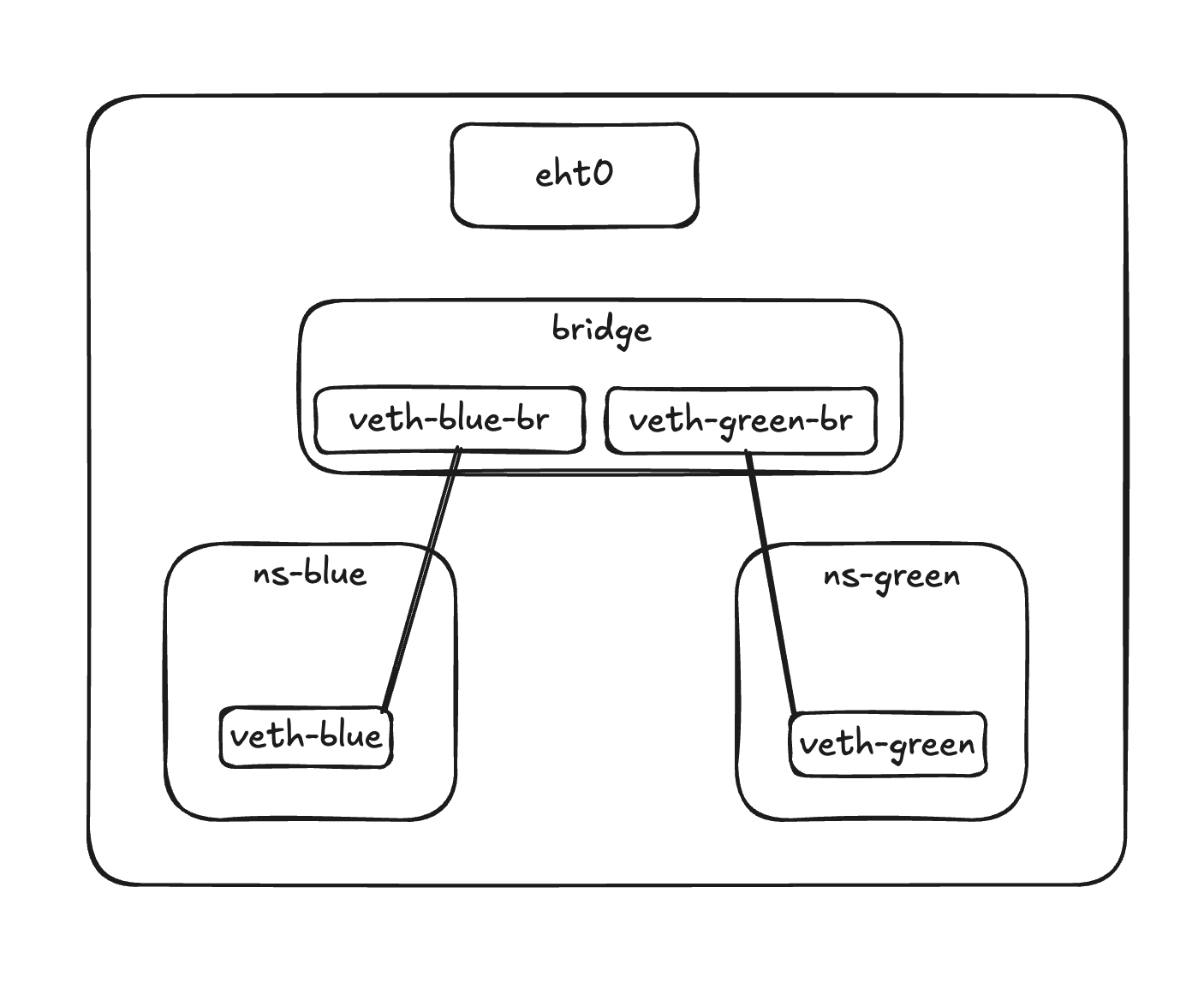
Getting out
Namespaces can talk to each other through the bridge, but they can’t reach the internet yet. The host needs to forward packets on their behalf — and rewrite the source IP so responses can come back. Two commands:
1
2
3
4
5
# enable IP forwarding
sysctl -w net.ipv4.ip_forward=1

# masquerade outbound traffic
iptables -t nat -A POSTROUTING -o eth0 -j MASQUERADE
This is exactly how pods reach external services in Kubernetes — and why broken iptables rules on a node can silently kill outbound connectivity.
Now you know where to look
You built the network by hand: namespaces, veth pairs, a bridge, NAT. That’s all Kubernetes networking is — the CNI plugin just does this automatically when a pod starts.
Next time a pod can’t reach another, you have a map: does the veth exist? Is the bridge up? Is there a route inside the namespace? Is iptables blocking FORWARD? Start there.